
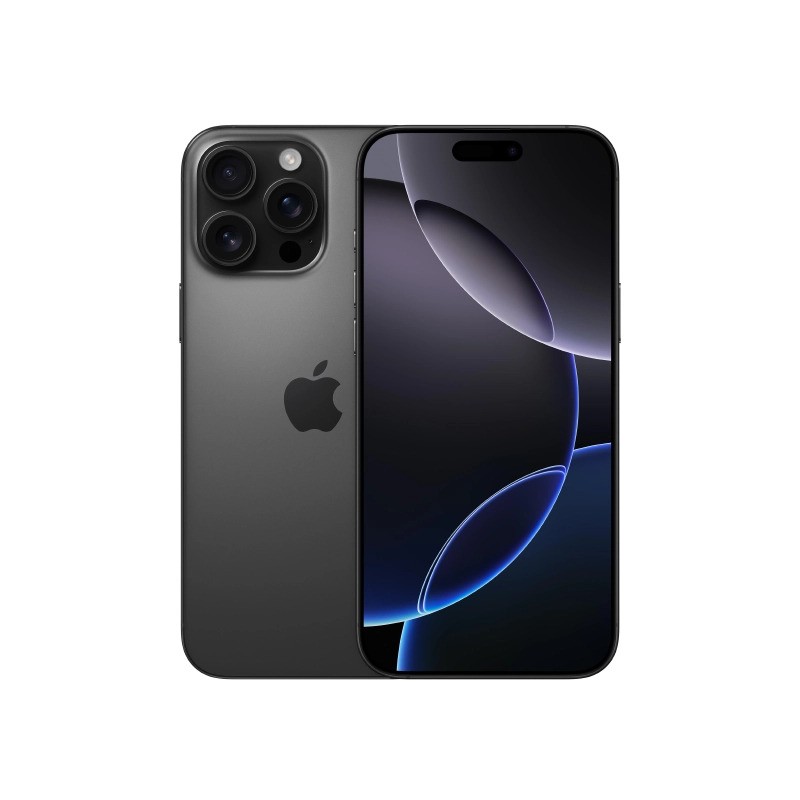
How to Buy a Used iPhone in Bangladesh: 15 Things to Check Before Buying
To buy a used iPhone in Bangladesh safely, check 15 things before you pay. The big five are BTRC IMEI registration, Activation Lock, battery health, parts history, and network or SIM compatibility. Then test the screen, cameras, Face ID, and ports, and compare the used iPhone price in Bangladesh across several sellers.
This guide walks you through each check in order. You will see where to find every setting, what a good result looks like, and when to walk away. Follow it, and a used iPhone can be a smart, low-risk buy.
Why Buy a Used iPhone in Bangladesh?
A used iPhone costs less than a new one, and a good unit still runs smoothly for years. That is why many buyers in Dhaka and other cities start their search with used phones.
The risks are real, though. A phone may be stolen, locked to someone else's account, or blocked on the network. Some have swapped parts, tired batteries, or hidden damage.
Quick Reference: The 5 Deal-Breakers
- Not registered or blocked on the BTRC system.
- Activation Lock or "iPhone Locked to Owner" screen.
- Battery will not charge, or battery health is poor.
- "Unknown Part" for the screen, battery, or camera.
- A seller who refuses to let you test the phone.
Used iPhone Price in Bangladesh: What Decides the Number
Used iPhone prices in Bangladesh vary by model, condition, and seller. There is no single fair price, so compare at least three listings for the exact model, storage size, and variant before you negotiate.
| Factor | Why It Changes the Price | What to Ask |
| Model and age | Newer models cost more and get updates longer | Which model and year? |
| Storage | Larger storage costs more | 128GB, 256GB, or more? |
| Battery health | A weak battery means a repair cost soon | What is the maximum capacity? |
| Variant or region | Official and unofficial sets are priced differently | Is it official, USA, HK, or other? |
| Repair history | Replaced parts lower value and reliability | Which parts were changed? |
| Box and accessories | Complete sets are easier to resell | Do you have the box and receipt? |
A price far below the market is a warning sign, not a bargain. It may mean a blocked IMEI, a locked account, or a stolen phone.
15 Things to Check Before You Buy Used iPhone in Bangladesh
Take your time with this list. An honest seller will not rush you.
1. Check the IMEI on the BTRC System
This is the most important step to buy used iPhone in Bangladesh. The Bangladesh Telecommunication Regulatory Commission runs the National Equipment Identity Register, called NEIR. Dial *#06# on the iPhone to see its IMEI.
You can check a handset by sending SMS "KYD" plus the 15-digit IMEI to 16002. You can also dial *16161# or use the NEIR portal.
Check each IMEI separately for every SIM slot, as the NEIR portal advises. BTRC began blocking unregistered handsets from 16 December 2025, and The Daily Star says unregistered IMEIs lose network access. Confirm the current rule on the portal before you pay.
2. Match the IMEI and Serial Number
Open Settings, tap General, then About. Compare the IMEI and serial number with the SIM tray, the box, and the receipt. If they do not match, something was swapped or tampered with.
Apple explains where to find the model number in its guide to finding your iPhone model number. Ask the seller to show you the box and the phone side by side.
3. Make Sure Activation Lock Is Off
Activation Lock stops anyone except the owner from using an iPhone. Apple's guide to buying a pre-owned iPhone says not to buy it if Activation Lock is on. If you see "iPhone Locked to Owner," ask the seller to enter their password to turn it off.
Better still, ask the seller to erase the phone in front of you. Go to Settings, General, Transfer or Reset iPhone, then Erase All Content and Settings. The phone should restart to the setup screen, not a locked screen.
4. Check Network Lock, SIM Tray, and eSIM
Insert your own SIM and make a call. Check that mobile data works on your operator. A phone that only works with a different carrier is not ready for you.
Look at the SIM tray too. US iPhone 14 models were sold without a SIM tray and use eSIM only, according to a thread in the Apple Community that points to Apple's tech specs. Newer US models follow the same design.
In Bangladesh, Grameenphone launched eSIM at selected centres, and Banglalink rolled out eSIM later. Ask your operator whether it supports your eSIM-only phone before you buy.
5. Confirm the Model, Region, and Variant
Open Settings, General, About, and read the model number. A letter at the start gives a clue. M means purchased new, F means refurbished by Apple or a carrier, N means a replacement unit, and P means a personalized one, per the Apple Community.
The letter will not reveal repairs done by a local shop. Also ask whether the phone is official, USA, Hong Kong, or another variant. Variant affects price, SIM support, and sometimes service.
6. Check Battery Health
Go to Settings, Battery, then Battery Health & Charging. Apple says you can view the battery's maximum capacity and any important battery messages, but this information is not available for unknown or non-genuine batteries, per its pre-owned iPhone guide.
Do not buy if the battery will not charge. As a rough rule, many buyers prefer higher capacity because lower capacity means shorter battery life. Factor in the cost of a replacement when you negotiate.
7. Read the Parts and Service History
On iOS 15.2 or later, Settings, General, About may show a Parts and Service History section. A genuine replacement shows as "Genuine Apple Part." An "Unknown Part" means the part was non-genuine, used before in another iPhone, or not working as expected.
Apple also says non-genuine batteries may lead to safety issues. Unknown parts on the display or battery are a good reason to walk away or lower your offer.
8. Inspect the Display
Turn the brightness up and show a white screen, then a black one. Look for dead pixels, yellow tints, dark spots, or lines. Swipe everywhere to test touch response, especially at the corners.
Scratches on a screen protector are fine. Deep scratches or cracks under the glass are not.
9. Check the Body and Frame
Look at the frame, corners, and back glass in bright light. Check for dents, bent edges, and gaps between the screen and frame. Uneven gaps can mean the phone was opened.
Also look near the ports for signs of water damage, such as corrosion or residue. If the phone looks cleaned or repainted, ask why.
10. Test the Cameras and Flash
Open the camera and try the rear lenses, the front camera, and the flash. Switch between photo and video modes. Record a short video and play it back with sound.
Look for blurry spots, dust under the lens, or a shaky preview. A cracked camera lens glass can hurt photos.
11. Test Face ID or Touch ID
Set up Face ID or Touch ID during your inspection if you can. If it fails, the sensor may have been damaged or replaced. Apple notes that parts used in biometric authentication are treated differently, so a broken Face ID is a serious red flag.
If Face ID will not work at all, do not buy. It is costly and hard to fix.
12. Test Sound, Calls, and Ports
Play music through the speaker and make a test call. Speak into the microphone and record a voice memo. Plug in a charger and a cable and make sure it charges steadily.
Check Wi-Fi, Bluetooth, the volume buttons, the side button, and the silent switch or Action button. Each should work smoothly.
13. Check the iOS Version and Update Eligibility
Open Settings, General, Software Update. See which iOS version is installed and whether it can update. Older models stop getting major updates sooner.
New software features often favor newer iPhones, as our iOS 27 article shows. If you want long-term support, choose the newest model you can afford.
14. Get the Box, Receipt, and Warranty in Writing
Ask for the original box, charger, cable, and cash memo if available. Get the seller's name, phone number, and address. Ask for any seller warranty or return policy in writing.
You can also check the serial number on Apple's Check Coverage page to see what coverage may apply. Keep every receipt and photo, since you will need them if something goes wrong.
15. Check the Used iPhone Price in Bangladesh Against the Market
Before you pay, compare the used iPhone price in Bangladesh for the same model, storage, battery health, and variant. Look at several sellers, not one. Ask for a price that reflects any weak points you found.
Meet in a safe public place in daylight. Do not send an advance payment through mobile banking. Pay only after you finish every check.
Quick Checklist: Walk-Away Signs
Use this table on your phone while you inspect.
| Check | Where to Look | Walk Away If |
| IMEI | SMS KYD to 16002, *16161#, or NEIR portal | Unregistered, blocked, or mismatched |
| Activation Lock | Setup screen after erase | "iPhone Locked to Owner" shows |
| Battery | Settings, Battery Health & Charging | Will not charge or shows a warning |
| Parts history | Settings, General, About | Unknown Part on key components |
| Face ID | Face ID setup | Setup fails |
| SIM and network | Your own SIM, a test call | No signal or no data |
| Seller | Receipt, ID, and warranty terms | Refuses a test or a receipt |
Safety Tips: Avoid Stolen Phones and Scams
A few simple habits protect you from most bad deals.
- Meet in a public, well-lit place, and bring a friend.
- Never pay in advance or pay before you finish the checks.
- Walk away if the seller rushes you or refuses to erase the phone.
- Keep the seller's name, number, and receipt.
- Photograph the phone, IMEI screen, and settings pages before you pay.
If you buy from a shop and it goes wrong, you can complain to the Directorate of National Consumer Rights Protection. The hotline is 16121. According to UNB, complaints are normally filed within thirty days and should include your receipt.
Common Mistakes When You Buy Used iPhone in Bangladesh
- Skipping the IMEI check. An unregistered phone can lose network access.
- Trusting "battery 100%" screenshots. Check Settings yourself.
- Ignoring Activation Lock. A locked phone is a brick if the owner cannot unlock it.
- Buying the cheapest listing. Very low prices often hide serious problems.
- Paying before testing. Test every feature first.
- Forgetting eSIM support. An eSIM-only phone needs an operator that supports it.
- Not asking for a receipt. No receipt means no proof if there is a dispute.
Should You Buy a New iPhone Instead?
A used iPhone is a smart choice for many budgets. But if you want a full warranty and a clean history, buying new may be worth the extra cost.
Appleians lists authentic Apple products, after-sales service, and installment options of up to 36 months on its site. You can read the EMI policy to see how installments work.
You can visit us at the Tokyo Square branch in Japan Garden City, Mohammadpur, or at Bashundhara City, or call the hotline at 01842430000. A newer iPhone 17 series model comes with a clean history and the latest software.
FAQs About How to Buy Used iPhone in Bangladesh
Q1. Is it safe to buy used iPhone in Bangladesh?
Yes, if you check the IMEI on the BTRC system, confirm Activation Lock is off, and test the phone yourself before you pay.
Q2. How do I check if a used iPhone is registered in Bangladesh?
Dial *#06# to get the IMEI, then send SMS "KYD" plus the 15-digit number to 16002, dial *16161#, or use the NEIR portal.
Q3. What is the used iPhone price in Bangladesh?
It varies by model, storage, battery health, variant, and repair history. Compare at least three sellers for the exact same specs.
Q4. What battery health is good for a used iPhone?
Check the maximum capacity in Battery Health & Charging. Higher is better, and a weak battery should lower the price.
Q5. Can I buy a used iPhone that shows "Unknown Part"?
It is risky. Unknown parts may be non-genuine or reused, so ask what was replaced and lower your offer, or walk away.
Q6. What should I ask the seller for?
Ask for the box, charger, receipt, seller details, and any warranty terms in writing.
Q7. What if the phone has a problem after I buy it?
Contact the seller first. If you cannot resolve it, you can complain to the DNCRP hotline at 16121 with your receipt.
Final Thoughts
To buy used iPhone in Bangladesh with confidence, check the IMEI, Activation Lock, battery, parts history, and network support before you pay. Test every feature, compare the used iPhone price in Bangladesh across sellers, and keep your receipt. A careful buyer gets a great phone at a fair price.
If you prefer a new iPhone with after-sales support, explore Appleians or call 01842430000 today.